
AnswerPath changelog
Changelog
The latest AnswerPath releases and improvements.
By continuing, you agree to our T&C and Privacy Policy.
New Company OS & AnswerBank Add Q&A
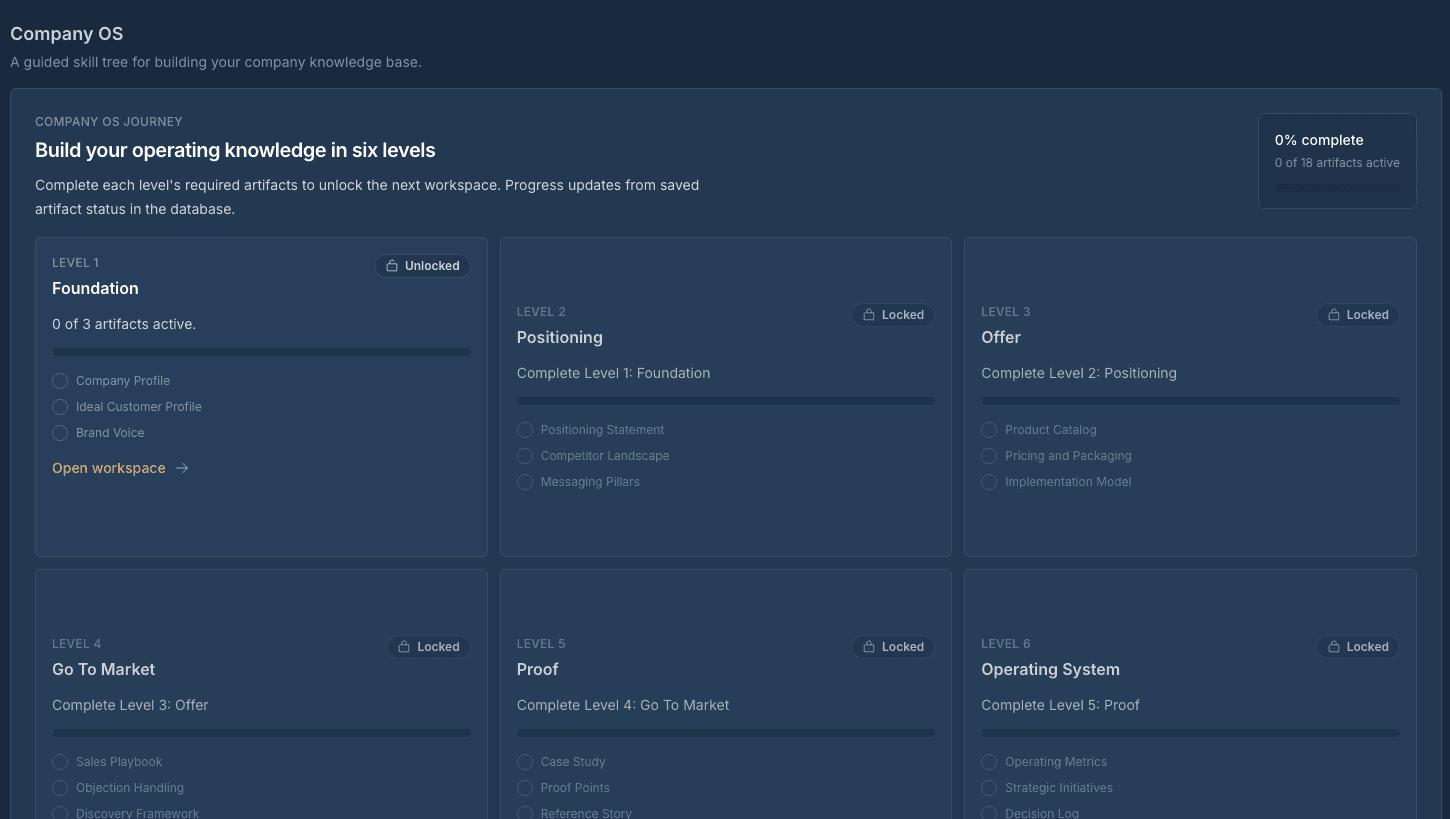
Company OS: a new guided workspace
Company OS ships as a new guided journey for building out your company's operating model. A visual skill tree maps the path through each level, and every level opens into its own workspace with an artifact form, completion validation, and a per-level AI coach chat that helps you work through the material.
Each workspace is backed by its own data model for artifacts, coach messages, and curriculum config, with authentication and workspace isolation enforced through Supabase RLS. When you're ready to share progress, you can export the entire journey as a markdown zip bundle for use outside the app.
Answer Bank: manual entries and ownership
You can now add answers to the Answer Bank by hand, view each entry on its own detail page, and link it to an owner and a source. New owners get an email the moment they're assigned an entry.
Improvements
Roles now map to Curator, Collaborator, and User, aligning permissions with how teams actually work.
You can refine an answer immediately after generating it, without starting a new request.
Onboarding includes clearer wayfinding so new users can find their next step faster.
OpenAI quota-exceeded errors now show distinctly from generic rate-limit errors, making it clear when a request failed due to plan limits rather than throttling.
The Teams Q&A bot now surfaces as a banner alongside Slack instead of competing for the same space.
The sign-in page now fills the full viewport width so the auth card centers correctly on all screen sizes.
Usage telemetry has been removed.
Fixes
Pending invites now show up correctly, and colleague invites and invite emails work again after a 404 regression.
Saving to a project no longer fails silently; errors now surface properly.
Deleting an organization now completes cleanly after a foreign-key issue in the audit trigger was fixed.
Confidence scores are now calculated on one consistent scale across the app, instead of two conflicting ones.
Complex PDF Handling
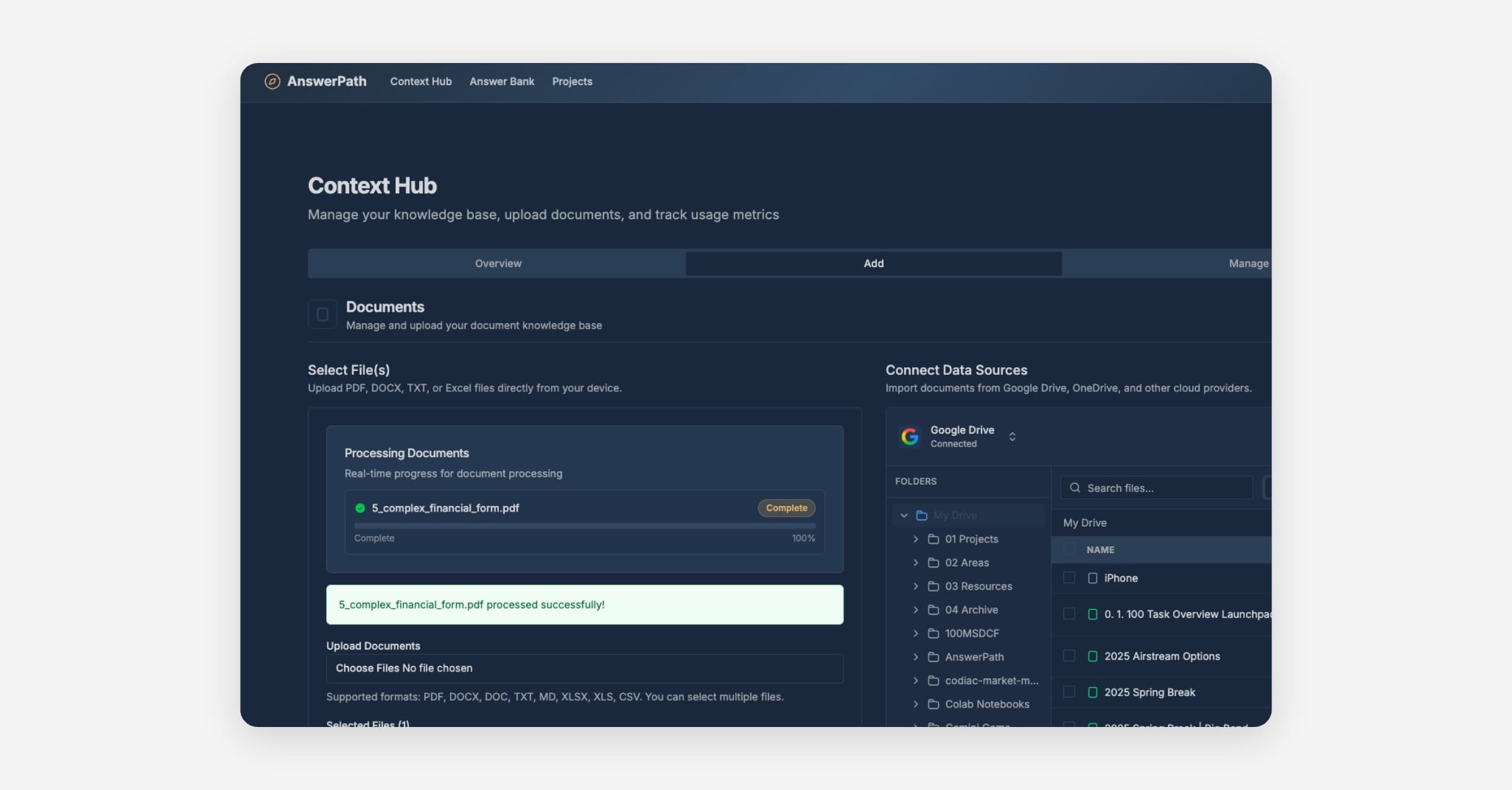
✨ New Features
Improved Error Reporting When something goes wrong, you'll now see a reference ID (like AP-a1b2c3d4) that you can share with our support team. When we resolve your issue, you'll receive an email notification letting you know it's been fixed.
Better Scanned Document Support We've upgraded our document processing to use AI for reading scanned PDFs. This means better accuracy when extracting text from:
Scanned documents and forms
Financial statements with tables and charts
Documents with diagrams and images
🔧 Improvements
More Reliable PDF Uploads
Fixed issues where some PDF uploads would fail silently
Large documents (100+ pages) now process reliably
Encrypted PDFs from scanners are now handled correctly
Complex financial forms with tables are extracted more accurately
Faster Issue Resolution We've added better tracking to help us identify and fix issues faster. When errors occur, we now have more context to diagnose and resolve problems quickly.
🐛 Bug Fixes
Fixed "Document processing failed" errors on scanned PDFs
Fixed timeout errors when processing large documents
Fixed table and image extraction from complex PDFs
Fixed errors when uploading PDFs with security flags
PDF Parsing Enhancements
Enhanced PDF Parsing
You can parse complex PDFs with higher accuracy, including multi‑column layouts, nested tables, headers and footers, scanned documents via OCR, and embedded links or bookmarks. Your ingested content is cleaner and search relevance improves. Processing is also faster and supports larger files, so bulk imports complete more reliably during peak hours.
Available today on all plans.
Improvements
Improve PDF parsing capabilities for better table extraction, multi‑column handling, OCR on scans, and faster processing; reprocess files to apply
Fixes
Bug: Fix Google Drive connection error so you can connect and sync without intermittent authorization failures
Bug: crawls and scheduled jobs no longer blocked by intermittent limit‑check failures
Release 2026.01.18.1242 - January 18, 2026
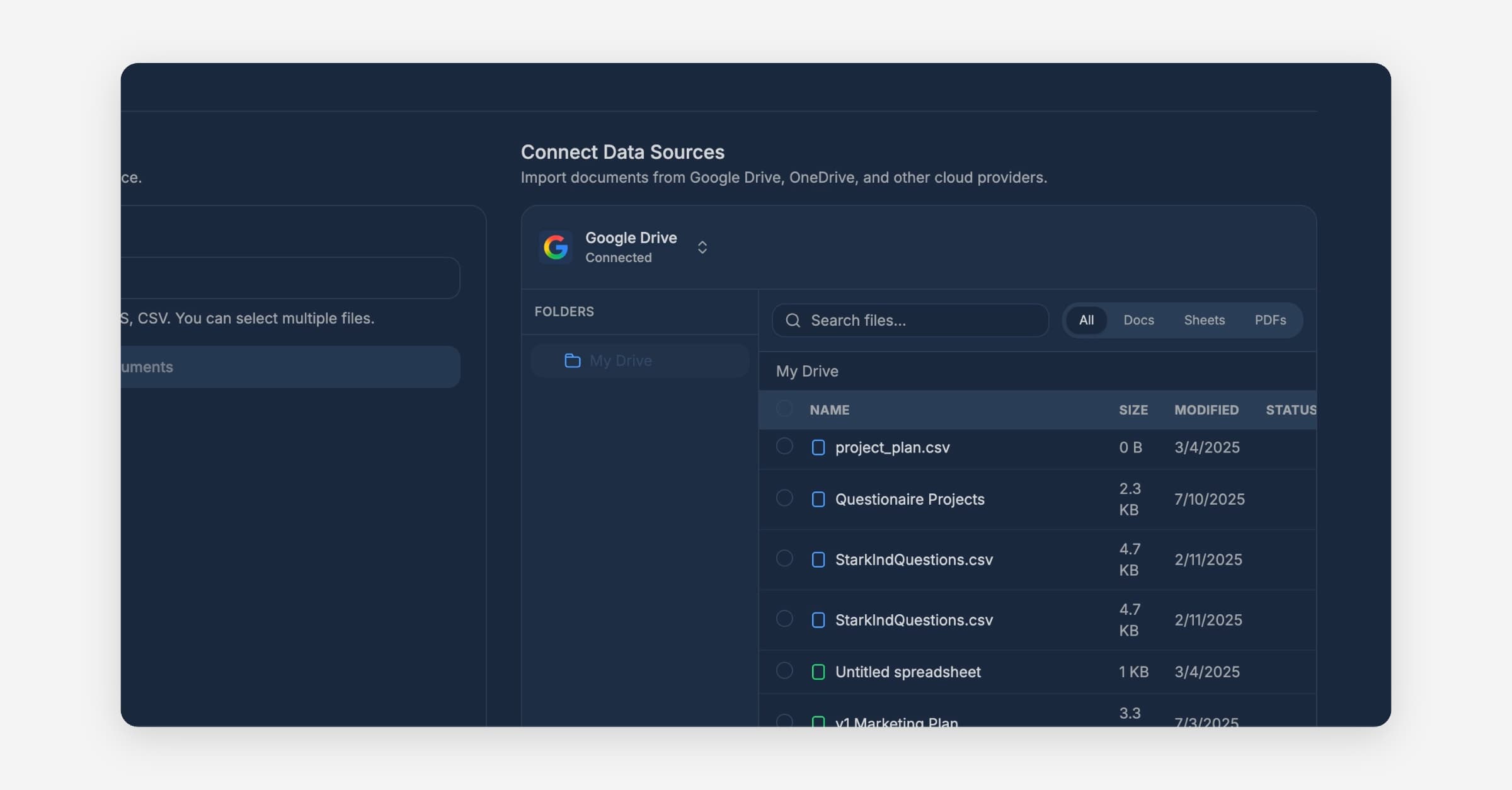
Release Summary
This release enhances Google Drive integration reliability and improves the user onboarding experience with real-time organization name validation and a cleaner interface.
✨ Features
✨ Real-time organization name validation - Check organization name availability instantly during signup to ensure a smooth registration process
🔧 Improvements
🔧 Enhanced Google Drive integration - Improved file listing and access with better error handling for authentication issues
🔧 Cleaner onboarding experience - Navigation bar is now hidden on onboarding and pending approval pages for a more focused user flow
🐛 Bug Fixes
🐛 Fixed Google Drive authentication errors - Better detection and handling of invalid tokens to prevent integration failures
🐛 Resolved file storage permissions - Fixed document upload and storage issues that could prevent file operations
🐛 Improved user profile handling - Fixed user registration process to properly handle display names during account creation